Imagine this: You sit down with your cup of tea, press the power button on your computer, and instead of the usual hum, you hear a strange repetitive clicking sound. Your heart skips a beat. This is not the music of technology working smoothly, it’s your hard drive crying out for help. In that moment, fear sets in. What about your photos, documents, office projects, or even financial records stored inside?
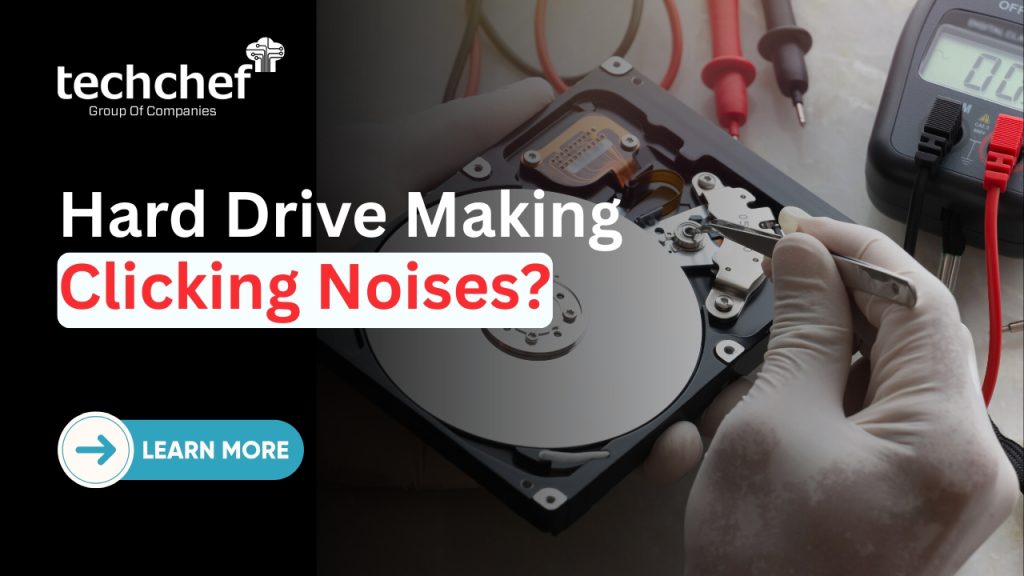
If you’re here because your hard drive is making clicking noises, take a deep breath. You’re not alone, and more importantly, your data might still be recoverable. Over my 30+ years as an IT consultant, I’ve seen hundreds of panicked faces transform into relieved smiles once they realised that clicking doesn’t always mean “the end.” With the right knowledge and quick action, your files have a fighting chance to come back safely.
What Does Clicking Noise in a Hard Drive Mean?
A healthy hard drive is usually very quiet, producing only a soft humming or gentle spinning sound as the platters rotate smoothly. When everything is working as it should, you won’t even notice it’s there, quietly storing all your important files and memories in the background.
But when you start hearing a hard drive clicking noise or a hard drive making ticking sound, it’s often a sign that the internal read/write head is struggling to move into the correct position. Instead of gliding smoothly, the head keeps trying and failing, which creates that repetitive and worrying noise you hear.
The reasons behind this can vary widely, from a simple misalignment of the head, to more serious problems like a head crash, physical damage to the platters, or even issues caused by unstable power supply. In some cases, firmware glitches can also confuse the drive and make the head keep clicking as it searches endlessly for instructions.
✅ Did you know? Even something as small as a bump while your computer is running, or a sudden power cut at home, can knock the delicate head out of place and start the clicking noise instantly.
Common Causes of Clicking Hard Drives
From my consulting experience of over three decades, I’ve seen countless drives land on my desk with strange noises. In most cases, the clicking hard drive recovery journey begins with one of the following causes:
1️⃣ Mechanical Failure of the Read/Write Heads
The most common reason is when the delicate read/write heads inside the drive get stuck or misaligned. These heads hover just microns above the spinning platters, and even a slight disturbance can cause them to “click” repeatedly as they fail to read data properly.
2️⃣ Bad Sectors Developing on the Platters
Over time, hard drives can accumulate bad sectors—tiny damaged portions of the platter where data can no longer be read or written. When the head encounters these areas, it keeps retrying, producing the clicking sound.
3️⃣ Loose or Faulty Cables
Sometimes, the problem is surprisingly external. A loose SATA cable or faulty power connector can cause intermittent communication between the drive and your computer. This miscommunication can lead to abnormal noises and errors.
4️⃣ Firmware Corruption
Hard drives rely on a built-in “mini operating system” called firmware. If this gets corrupted, the heads may struggle to find the right track, leading to repetitive clicking as the drive searches endlessly for instructions.
5️⃣ Physical Shocks or Drops
Even a small fall from a table or a hard knock during travel can damage the precision parts inside. The head crash that follows often manifests as the dreaded clicking or ticking sound.
✅ Did you know? Overheating inside a desktop or laptop can cause internal parts to expand. When the metal parts expand beyond tolerance, the head may no longer glide smoothly, leading to unusual clicking or grinding sounds.
Signs That Your Hard Drive is Failing
The clicking sound itself is often the first red flag, but there are other important hard drive failure signs you should never ignore:
✅ Frequent system crashes or freezes – if your computer hangs unexpectedly while working, it could be due to the hard drive struggling to read data properly.
✅ Files taking unusually long to open or copy – when simple tasks like moving or accessing files feel painfully slow, it often means the drive is battling bad sectors.
✅ Drive not being detected sometimes – if your PC or laptop occasionally fails to recognise the drive, it’s a strong warning of deeper mechanical or firmware issues.
✅ Repetitive clicking or grinding sounds – constant noises coming from inside the drive mean the read/write head is repeatedly failing to locate data.
✅ Did you know? Ignoring these early warnings can turn a drive that’s still recoverable into one that is permanently damaged, making even professional clicking hard drive recovery impossible.
What You Should Never Do with a Clicking Hard Drive – Explained
✅ Don’t keep restarting it to “check” if it works – Every time you power up a clicking drive, the read/write head keeps striking against the platters. This causes more scratches and damage, making recovery harder or even impossible.
✅ Avoid DIY tricks like freezing the hard drive – Some people believe that cooling the drive will shrink metal parts and fix alignment, but in reality, condensation builds up inside. This moisture can ruin the magnetic surface where your data is stored.
✅ Never open the drive at home – A hard drive is an ultra-sensitive device that requires a sterile cleanroom environment. If you open it in normal air, even tiny dust particles can land on the platter and destroy data instantly.
✅ Don’t install random recovery software on a failing drive – Forcing damaged hardware to run software scans increases stress on the drive. This often results in partial reads and further damage to already weak components.
✅ Avoid connecting the drive repeatedly with different cables or systems – Each failed attempt puts pressure on the drive’s motor and heads, which are already struggling. The more you try, the less chance professionals have to recover your files.
The moment you hear your hard drive making clicking noises, stop experimenting. Every wrong attempt lowers the chances of successful hard drive recovery. Always consult a professional instead.
Safe Steps You Can Take Immediately
If your hard drive is making clicking noises, don’t panic, but act carefully and wisely. Here are the safe steps you should follow right away:
✅ Stop using the drive immediately, because every extra spin can increase the risk of permanent data loss.
✅ Disconnect the drive carefully and store it in a cool, dust-free, and vibration-free environment to avoid further internal stress.
✅ If some files are still accessible, back up only the most important ones without overloading the drive with repeated copy attempts.
✅ Reach out to professional data recovery experts quickly, since the sooner you act, the higher your chances of a successful recovery.
Taking these safe steps will protect your valuable data from further harm and give experts the best chance to perform effective clicking noise data recovery.
How Professionals Recover Data from Clicking Hard Drives
Recovering data from a hard drive making clicking noises is not a simple task, it requires years of expertise, specialised equipment, and a safe environment. Here’s how trusted professionals like Techchef handle it:
✅ Cleanroom environment for safe handling – The drive is opened only in a certified cleanroom lab, where dust particles and contaminants cannot harm the sensitive platters inside.
✅ Specialised tools to realign or replace read/write heads – Technicians use precision instruments to repair or replace damaged heads so the drive can read data again without scratching the platters.
✅ Advanced recovery software to extract data safely – Once the drive is stable, powerful recovery software is used to retrieve files while ensuring maximum security and integrity of your information.
✅ Ensuring maximum data integrity during the process – Every recovered file is verified, and the data is transferred to a safe, healthy storage medium so you can use it without worries.
With these professional methods, the chances of clicking hard drive recovery are far higher compared to risky DIY attempts, giving you peace of mind that your digital memories and business files are in safe hands.
Conclusion
Hearing a hard drive making clicking noises can feel like your digital world is collapsing, but it’s important to remember, clicking is a warning, not a death sentence. I’ve helped countless people in moments like this, and the relief on their faces when we hand over their precious memories or critical work files is something I’ll never forget.
So if your drive has started clicking, don’t delay. The faster you act, the better your chances of saving everything you hold dear. Whether it’s a wedding video, business accounts, or years of cherished memories, professional help can make all the difference.
👉 For reliable and secure hard drive head recovery and data services, visit www.techchef.in today.
📞 Call us now for a free consultation at 1800-313-1737 and let us assist you in getting your precious data back safely.
FAQs
Q1. Why is my hard drive making a clicking noise?
A hard drive clicking noise usually means the read/write head is stuck, misaligned, or damaged. It can also happen due to bad sectors, firmware issues, or physical shocks to the drive.
Q2. Can I fix a clicking hard drive at home?
No, attempting home fixes like freezing, tapping, or opening the drive can destroy the platters. Only experts with a cleanroom and specialised tools can handle clicking hard drive recovery safely.
Q3. Is data recovery possible from a clicking hard drive?
Yes, in most cases professionals can recover data by repairing or replacing heads and using advanced recovery software. The success rate depends on the extent of internal damage.
Q4. How much does hard drive data recovery cost?
Costs vary depending on whether the issue is logical or physical. Physical recovery is usually more expensive, but a professional evaluation gives you clarity on pricing and chances of success.
Q5. How can I prevent my hard drive from failing in the future?
Take regular backups on external or cloud storage, use a UPS to avoid sudden power cuts, and keep your system well-ventilated to prevent overheating. Handle the drive gently to avoid shocks.