Every organization relies on its servers more than it realizes. From customer information to financial records and project files, everything flows through a server. It silently supports your business day and night. holding years of hard work and data that cannot be replaced. When a server begins to fail, the impact is more than technical. It disrupts operations and delays your work. and creates stress that spreads across the entire team.

Unfortunately, many Indian businesses are seeing a rise in sudden server failures because workloads are increasing every year. Data grows faster. Applications demand more resources. and hardware ages quietly in the background. Most server failures do not happen without sending early warning signals. These signs often appear when the server begins to slow down. crash unexpectedly. or show unusual noises that many users ignore.
This article explains the five most important warning signs that your server is heading toward failure. You will learn how to identify them early and how to protect your critical information before the situation becomes serious. When things go wrong, the safest option is to rely on Server Data Recovery professionals who can preserve everything without damaging the drives. Teams like Techchef assist businesses across India and offer timely help when your server shows signs of risk.
Why Server Failures Happen More Often Than You Think
Server failures have become surprisingly common in recent years. The reason is simple. Businesses store more data than ever before, and servers are pushed to their limits.
Growing data load
Data increases daily. Videos, databases, emails, project files, and backup copies all demand storage and processing power. When servers struggle to handle these loads, they show early signs of trouble.
Ageing hardware
Even the strongest server hardware has a limited lifespan. Drives wear out. Cooling systems weaken. and memory becomes unstable. Aging parts show slowdowns that often go unnoticed.
Environmental and power issues
Heat, dust, voltage fluctuations, and unstable power are among the biggest reasons servers break down in India. These conditions slowly damage internal parts over time.
Human mistakes and misconfigurations
Accidental changes in settings, incorrect installation, or misuse of repair tools can easily damage server data. Many failures begin with small mistakes that seem harmless.
Why ignoring early symptoms is risky
A server rarely collapses instantly. It gives signals. If you ignore slow performance. unusual sounds. or corrupted files, the damage increases quietly. When the failure becomes serious, the recovery becomes more complicated and costly. Recognizing the signs early can protect your data and your business.
💡 Did You Know?
Most servers show early symptoms nearly a month before failure. Quick action during these signs can reduce the need for urgent Server Data Recovery.
Early Signs You Should Never Ignore
Servers rarely fail without sending small alerts. These early signs are often overlooked, but they hold the power to prevent serious downtime if understood on time. Paying attention to the smallest change in server behavior helps protect your data before any major failure develops.
Warning Sign 1: Slow Performance and Frequent Freezing
A server that struggles to open files. responds slowly. or freezes at unexpected moments is showing the earliest trace of internal stress. These delays happen when drive sectors weaken. when memory becomes unstable. or when the controller finds it difficult to process commands smoothly. If ignored, the slowdown grows into corruption, damaged files, and sudden shutdowns that interrupt normal work. Many businesses realize the seriousness only after the system becomes unstable and unpredictable.
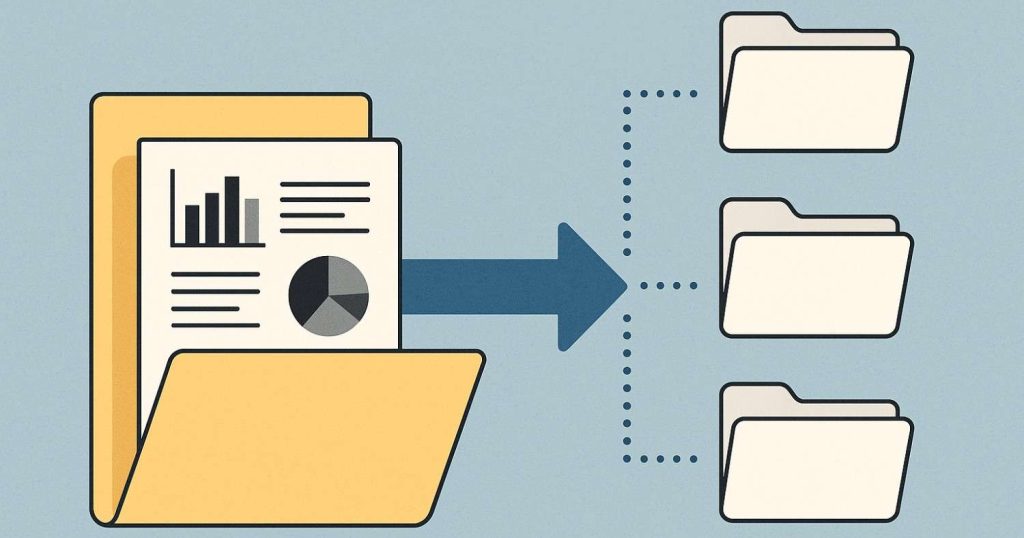
Solution for Warning Sign 1
The safest step is to reduce activity on the server so the failing components are not pushed further. Secure important data using light and careful transfers without forcing heavy copy operations. Avoid frequent restarts because they increase stress on already weakened drives. Check temperature levels. disk health reports. and server logs to trace the source of the instability. If the slowdown continues or the server becomes unreliable, it is time to involve experts. Professionals at Techchef Data Recovery use advanced imaging and controlled methods for safe Server Data Recovery so your data stays protected from further loss.
Warning Sign 2: Clicking or Unusual Noises from the Server
A healthy server runs with a steady and predictable sound. When you begin to hear clicking, grinding, buzzing, or irregular vibrations, it is usually a sign that the internal components of the drive are under physical stress. These sounds appear when the read and write head is unable to move smoothly or when the motor inside the drive starts to weaken. In some cases the internal surfaces may already be scratched, which makes every rotation risky. Once these noises start, the chances of sudden breakdown increase quickly because the drive may fail without completing important tasks.
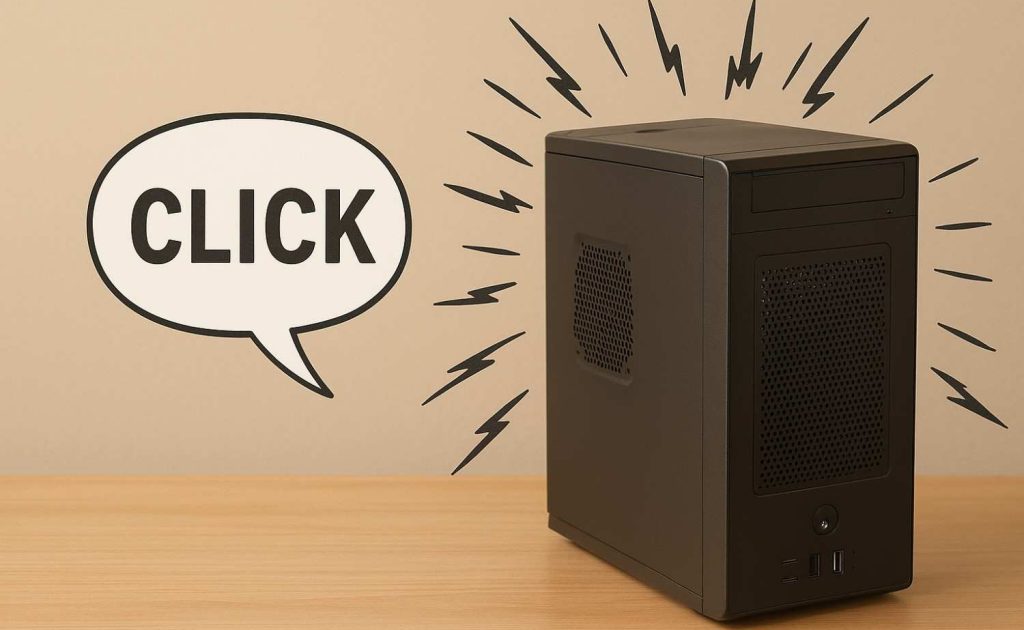
Solution for Warning Sign 2
The safest response is to shut down the server immediately because every extra second of operation can cause deeper physical damage. Avoid restarting the server repeatedly since each boot attempt forces the damaged parts to move again. Never try any software-based tools because physical issues require controlled environments. Experts at Techchef Data Recovery use cleanroom facilities and specialized tools to stabilize the drive. repair delicate components. and complete safe Server Data Recovery without causing additional harm.
Warning Sign 3: Frequent Crashes and Sudden Reboots
When a server keeps crashing or rebooting on its own, it is a clear sign that the system is facing internal instability. This behavior appears when RAM is failing. when the motherboard has damaged circuits. or when power fluctuations interrupt server operations. Crashes also disrupt writing activity, which leads to incomplete files, broken data structures, and, in severe situations, RAID corruption. Users usually notice this when the server refuses to stay stable for more than a few minutes.
Solution for Warning Sign 3
Stop running applications immediately because continued use adds more damage to the weakened areas. Note the error messages. Observe whether crashes occur during certain tasks. and allow the system to cool if heating is suspected. Avoid multiple restart attempts because they break more file structures each time. Once the situation is documented, seek help from professionals. The team at Techchef Data Recovery examines the damaged components. repairs logical errors. and performs structured Server Data Recovery to restore important files before instability destroys more data.
Warning Sign 4: Overheating and Temperature Spikes
Servers are designed to operate within a controlled temperature range. When the heat rises sharply, the internal components begin to slow down and behave unpredictably. Overheating happens when dust blocks airflow. when cooling fans fail. or when the server room environment is too warm. Heat puts pressure on hard drives and affects voltage levels in SSDs, which leads to slow performance. corrupted data. and unexpected shutdowns. If the heat continues, the damage spreads to the controller and RAID configuration.
Solution for Warning Sign 4
Begin by improving airflow around the server and ensure that all vents are free from dust. Check whether the cooling fans are working at the correct speed and confirm that the server room temperature stays stable. Use monitoring tools that alert you when the temperature rises too quickly. If overheating has already caused instability or the server refuses to respond, reduce usage immediately. In cases where drives become unreadable, experts at Techchef Data Recovery can help restore access and complete Server Data Recovery safely before the damage worsens.
Warning Sign 5: Missing Files. Corrupted Folders. and Backup Failures
When files disappear suddenly or open with unreadable content, it indicates that data integrity is already compromised. These symptoms appear when bad sectors spread across the drive. when logical structures inside the server become damaged. or when malware interferes with the file system. Backup failures are another warning because the server may be unable to read the sections required to complete the process. As corruption grows, the server may fail to boot or stop detecting the drive altogether.
Solution for Warning Sign 5
Stop writing new data immediately because fresh activity can overwrite important sections that are still recoverable. Review server logs to understand when the errors started, and check the backup reports to identify which folders are affected. Do not attempt random repair tools because they can permanently modify damaged structures. This is the right time to involve professionals who can rebuild file systems. Correct logical inconsistencies, and reconstruct RAID parameters if needed. Specialists at Techchef Data Recovery handle these situations with precise techniques that ensure safe Server Data Recovery even when folders and partitions appear lost.
When a server begins to show even one of these signs, it is a message that your data needs immediate attention. Acting early protects your business from long downtime and unexpected losses. With timely help and the support of specialists like Techchef Data Recovery your information stays safe and recoverable. Listening to these warnings today saves you from bigger problems tomorrow.
How to Protect Your Critical Data Before the Server Fails
Protecting your data is always easier when you act before the server reaches a critical stage. A few smart habits and timely checks can prevent most unexpected failures and keep your information safe even when the system begins to show early warning signs.
✅ Create a strong backup routine with daily, weekly, and monthly backups so your important information stays safe even if the server stops responding suddenly.
✅ Monitor disk health regularly to identify weak sectors, slow read speeds, or unusual behavior before they turn into serious damage.
✅ Review server logs to catch early alerts related to file errors, unexpected shutdowns, or hardware instability.
✅ Maintain proper temperature control inside the server room because heat weakens drives and affects performance.
✅ Clean vents and fans routinely to ensure smooth airflow and prevent components from overheating under load.
✅ Replace aging drives before they begin to develop bad sectors that silently corrupt important files.
✅ Use a reliable UPS to protect the server during sudden power outages and allow safe shutdown without interrupting write operations.
✅ Avoid free repair tools and random troubleshooting attempts because incorrect actions can overwrite recoverable data.
✅ When early symptoms appear or backups start failing, seek guidance from professionals. Experts at Techchef Data Recovery can safeguard your data and provide secure Server Data Recovery when needed.
A little attention today can save you from long downtime and expensive recovery efforts tomorrow. Staying alert and taking preventive action helps you maintain smooth operations and keeps your business data protected at all times
💡 Did You Know?
Almost half of all server failures are caused by issues that begin weeks earlier. Early action keeps your data safer and reduces the need for urgent Server Data Recovery.
When to Seek Professional Help Immediately
There are moments when a server problem moves beyond routine fixes and becomes a serious threat to your data. At this stage continuing to troubleshoot on your own can increase the damage. Professional intervention becomes the safest path for protecting valuable information. When the server behaves in unusual or unpredictable ways, it is better to stop all activity and let specialists handle the situation with controlled methods.
Situations That Need Experts Right Away
✅ Clicking sounds or unusual vibrations that indicate internal mechanical damage.
✅ A failed RAID rebuild that leaves the array unstable or unreadable.
✅ Sudden boot failure that prevents the server from loading the operating system.
✅ Water exposure, smoke, or fire-related damage that affects internal components.
✅ Missing partitions or drives that stop appearing inside the system.
In these conditions the chances of data loss increase with every additional restart and every incorrect repair attempt. This is where trained specialists are important because they use dedicated tools and controlled environments to prevent further deterioration. Handling a server without proper equipment can complicate the damage and reduce the success rate of recovery.
Why Choose Techchef Data Recovery
Techchef Data Recovery provides a secure and reliable path when your server enters a critical stage. The cleanroom lab has advanced hardware tools. and skilled engineers work together to create safe copies of failing drives, rebuild RAID structures, and restore corrupted data with care. The team has years of experience working with physical issues, logical corruption, and complex enterprise systems. Their approach ensures your server information is treated with precision and confidentiality.
Choosing experts at the right moment saves time. prevents unnecessary risks. and ensures your organization can return to normal operations without fear of losing important files. Acting quickly makes the recovery smoother and increases the chances of retrieving every possible bit of data.
💡 Did You Know?
Many servers fail completely within hours after the first hard drive click. which makes professional help even more important.
Conclusion
Every server shows signs before a complete failure, and recognizing them early protects your organization from long downtime and unexpected losses. Slow performance, unusual noises, crashes, overheating, and file corruption are signals that your data needs immediate attention. Responding quickly and taking the right precautions ensures your system remains stable and your information stays safe.
When the situation becomes critical. Relying on experts brings confidence and clarity. Professional support from Techchef Data Recovery gives you a secure path for safe and reliable Server Data Recovery using controlled tools and cleanroom processes. Your business does not need to struggle with uncertainty because instant help is always within reach. For instant support, You can visit at www.techchef.in or call at 1800 313 1737.
Frequently Asked Questions
1. What is the most common sign of an upcoming server failure
Slow performance and frequent freezing are usually the earliest signs. These delays often signal weakening drive sectors or memory instability.
2. Can clicking sounds damage the server permanently
Yes. Clicking sounds usually point to physical issues inside the drive. Continued use can increase internal scratches and reduce recovery success.
3. Should I restart my server if it keeps crashing
No. Repeated restarts can worsen corruption and damage ongoing write cycles. It is safer to stop usage and seek professional help.
4. Is overheating dangerous for servers
Yes. High temperature creates stress on hard drives. SSDs and RAID controllers. which can lead to slowdowns or full system failure.
5. When should I contact Techchef Data Recovery
You should contact Techchef when you hear unusual noises. face repeated crashes. lose partitions. or when the server fails to boot. Experts provide safe and effective Server Data Recovery in such conditions.
6. Can professionals recover data even if the server is not detecting the drive
Yes. Specialists have tools to access drives that are unreadable or not recognized by the operating system.