Your hard drive just stopped working. Maybe you knocked it off your desk. Maybe it got caught in a flood. Or perhaps it simply made a clicking sound one morning and never came back to life. Whatever the reason, your data is sitting inside a device that won’t respond, and panic sets in fast.
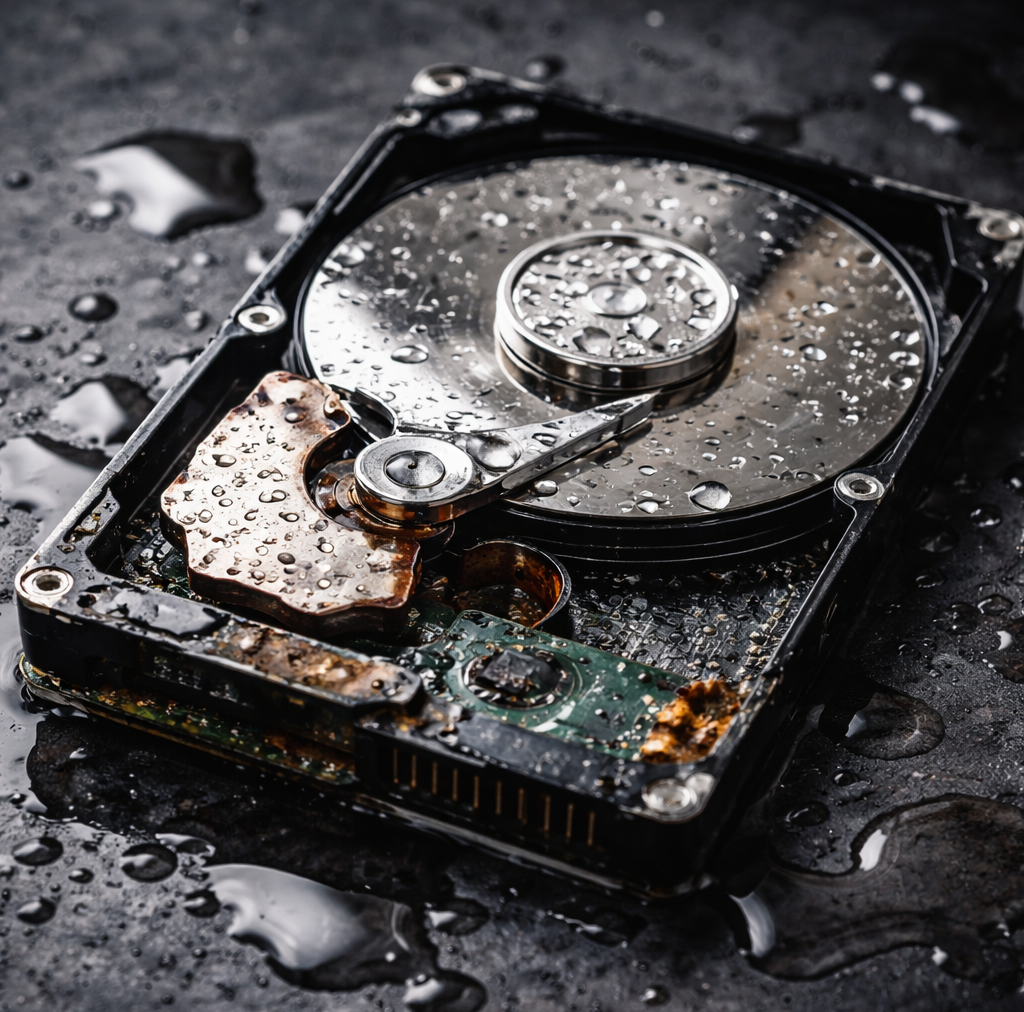
I’ve seen this scenario more times than I can count. And the most common mistake people make? Trying to fix it themselves. Whether it’s running recovery software, opening the drive to “see what’s inside,” or putting a wet hard drive in the freezer (yes, people still try that) — DIY attempts almost always make things worse.
This article will walk you through exactly when you need to stop, step back, and call a professional data recovery expert — because timing and the right decisions can literally be the difference between getting your data back and losing it forever.
First, Understand What You’re Actually Dealing With
Not all hard drive failures are created equal. Before you decide on a course of action, it helps to understand what type of failure you’re looking at. There are broadly two categories:
- ➡️ Logical failure — the drive is physically intact but the file system is corrupted, files are accidentally deleted, or the partition is lost.
- ➡️ Physical failure — there’s actual mechanical or electronic damage to the drive itself.
Logical failures can sometimes be handled with software tools if caught early. But physical failures? Those require cleanroom environments, specialized tools, and trained hands. A broken hard drive or a water damaged hard drive almost always falls into the physical failure category — and that’s where DIY recovery becomes genuinely dangerous to your data.
💡 Did You Know? Hard drives contain ultra-sensitive magnetic platters that float just nanometres above the read/write heads. Even a single dust particle entering an open drive can cause permanent data loss. This is why professional recovery labs work inside ISO-certified cleanrooms.
Signs Your HDD Has a Physical Problem (Don’t Ignore These)
If your hard drive is exhibiting any of the following symptoms, do not attempt to run software recovery tools or restart the device repeatedly. These are classic signs of physical damage:
- ➡ Clicking, grinding, or scraping sounds coming from the drive
- ➡ The drive spins up but isn’t detected by your computer
- ➡ A burning smell after the drive was powered on
- ➡ Visible damage to the drive enclosure or circuit board
- ➡ The device was dropped, knocked, or physically impacted
- ➡ The drive was exposed to water, moisture, or flooding
Any of these situations means you’re dealing with an HDD not working due to physical reasons. Continuing to power it on can worsen head crashes, further scratch the platters, or cause irreversible damage to the electronics.
When Water Is Involved — Act Fast, But Act Smart
A water damaged hard drive is an emergency situation. Here’s the good news: water alone doesn’t destroy data. The magnetic information on the platters can still be intact even after exposure. But here’s the danger — if you power on the drive while it’s wet, corrosion sets in almost immediately, and that’s when data loss becomes permanent.
What you should do immediately:
- ⚠️ Do not turn the drive on
- ⚠️ Keep the drive wet (don’t dry it with heat or air — this accelerates corrosion)
- ⚠️ Place it in a sealed bag or container to prevent further contamination
- ⚠️ Get it to a professional data recovery service as quickly as possible
Wet hard disk recovery is a delicate, multi-step process that involves disassembling the drive in controlled conditions, cleaning the platters with ultrapure water or specialized solvents, and reassembling before extracting data. This is not something that can be done at home.
🏦 Case Study: A Banking Incident
A mid-sized private bank in India faced a severe data crisis when a server room experienced a pipe burst due to a plumbing failure. Three external HDDs containing critical customer transaction records and daily backup logs were submerged in water for nearly four hours before the issue was discovered.
The bank’s IT team, under pressure, attempted to power on one of the drives to assess the damage — the drive failed instantly and rendered that data unrecoverable. The remaining two drives were immediately handed over to a professional data recovery lab.
The experts disassembled the drives in a cleanroom environment, cleaned the platters, rebuilt the firmware, and successfully recovered over 97% of the critical data within 72 hours. The bank was able to restore operations with minimal disruption. This case is a clear reminder: in water damage situations, every second counts and every wrong move costs you data.
The Right Time to Call a Data Recovery Expert

Let me be direct with you here. You should call a professional data recovery service the moment any of the following apply:
- ✔️ Your hard drive was physically dropped, crushed, or damaged
- ✔️ The drive made clicking or grinding noises before or after it stopped working
- ✔️ The drive came into contact with water, moisture, or liquids of any kind
- ✔️ Your system doesn’t detect the drive at all in BIOS or Disk Management
- ✔️ You’ve already tried recovery software and it hasn’t worked or made things worse
- ✔️ The drive is from a RAID server and the array has failed
- ✔️ The data is critical — business records, irreplaceable personal files, legal documents
Remember: the window for successful recovery often narrows with every passing hour, especially in physical and water damage cases. Calling a hard drive repair service early gives you the best possible chances.
💡 Did You Know? According to industry data, over 40% of drives that fail due to physical damage could have had higher recovery success rates if users had not attempted DIY recovery first. The act of running software tools on a mechanically failing drive can accelerate head crashes and cause further platter damage.
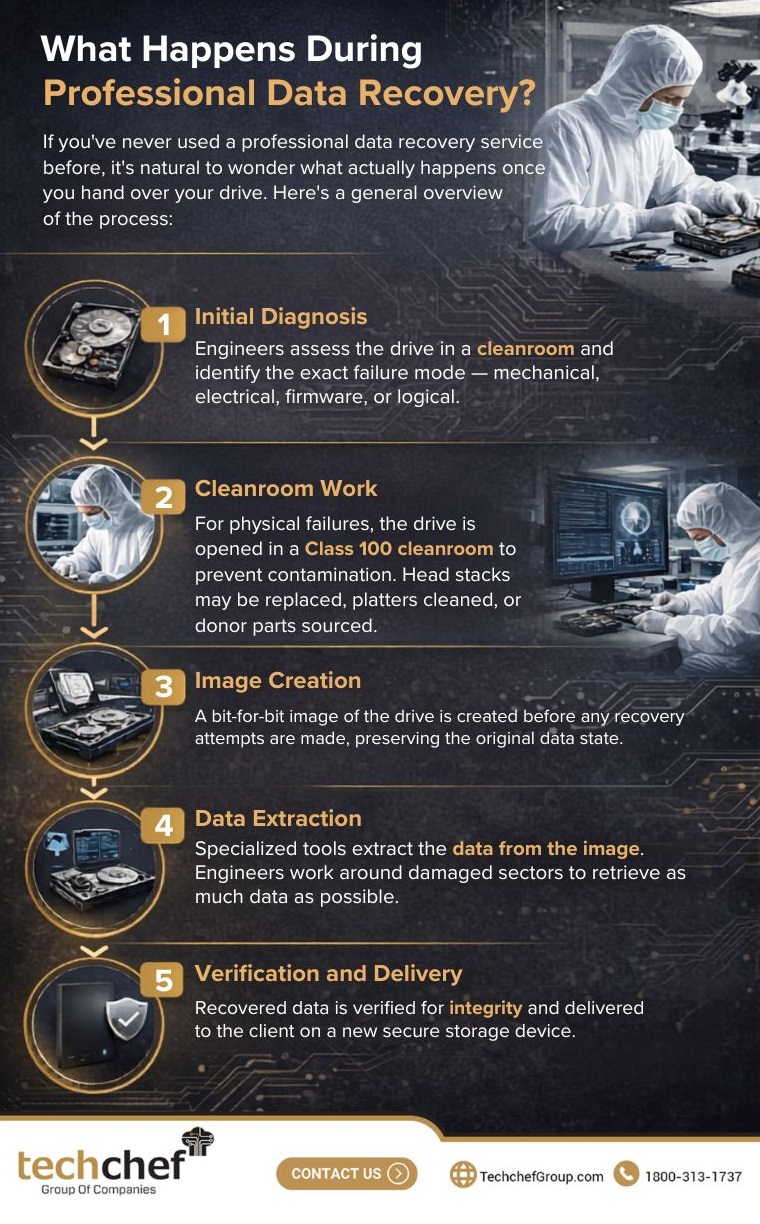
What Happens During Professional Data Recovery?
If you’ve never used a professional data recovery service before, it’s natural to wonder what actually happens once you hand over your drive. Here’s a general overview of the process:
Initial Diagnosis: Engineers assess the drive in a cleanroom and identify the exact failure mode — mechanical, electrical, firmware, or logical.
Cleanroom Work: For physical failures, the drive is opened in a Class 100 cleanroom to prevent contamination. Head stacks may be replaced, platters cleaned, or donor parts sourced.
Image Creation: A bit-for-bit image of the drive is created before any recovery attempts are made, preserving the original data state.
Data Extraction: Specialized tools extract the data from the image. Engineers work around damaged sectors to retrieve as much data as possible.
Verification and Delivery: Recovered data is verified for integrity and delivered to the client on a new secure storage device.
This is a highly specialized, technically intensive process — and one that simply cannot be replicated with off-the-shelf tools or amateur effort. Emergency data recovery, when handled correctly, can achieve remarkable results even in cases that look hopeless at first glance.
A Word on “Hard Drive Repair Services” Online
You’ll find many services online that claim to recover your data for a very low flat fee or promise 100% success rates. Be cautious. Legitimate data recovery professionals will always offer a free diagnostic evaluation before quoting you a price, and they will never guarantee 100% recovery — because the outcome depends entirely on the condition of the drive.
Look for services with certified labs, transparent processes, and experienced engineers who specialize specifically in data recovery — not general computer repair.
Lost Data? Don’t Wait — Every Hour Matters
When your hard drive fails — whether it’s been dropped, is making strange noises, or got caught in a flood — the single most important decision you can make is to stop, secure the device, and contact a professional immediately.
That’s where Techchef Data Recovery comes in.
With years of experience in recovering data from SSDs, HDDs, CCTV storage systems, and RAID servers, Techchef has helped thousands of individuals and businesses retrieve what they thought was gone forever.
Their team of expert data recovery engineers and technicians handles everything from physically broken drives to water-submerged hard disks and corrupted storage devices — with the precision and care your data deserves.
What sets Techchef apart:
- 👉 ISO-certified lab with state-of-the-art cleanroom facilities for physical drive recovery
- 👉 Experienced engineers specializing in all types of hard drive failures — mechanical, electronic, firmware, and logical
- 👉 Support for a wide range of devices including damaged, broken, water-affected HDDs, SSDs, RAID arrays, and CCTV drives
- 👉 Transparent diagnostic process with no recovery, no charge policy
- 👉 Convenient free pickup and drop service so you don’t have to worry about transporting a fragile drive
Your data has a story, and it deserves a proper ending. Do not let a sudden failure or data loss bring everything to a stop. With the right expertise and timely action, your valuable files, records, and memories can still be recovered safely and securely.
📞 Call Toll-Free: 1800-313-1737 | 🔗 Schedule an appointment today