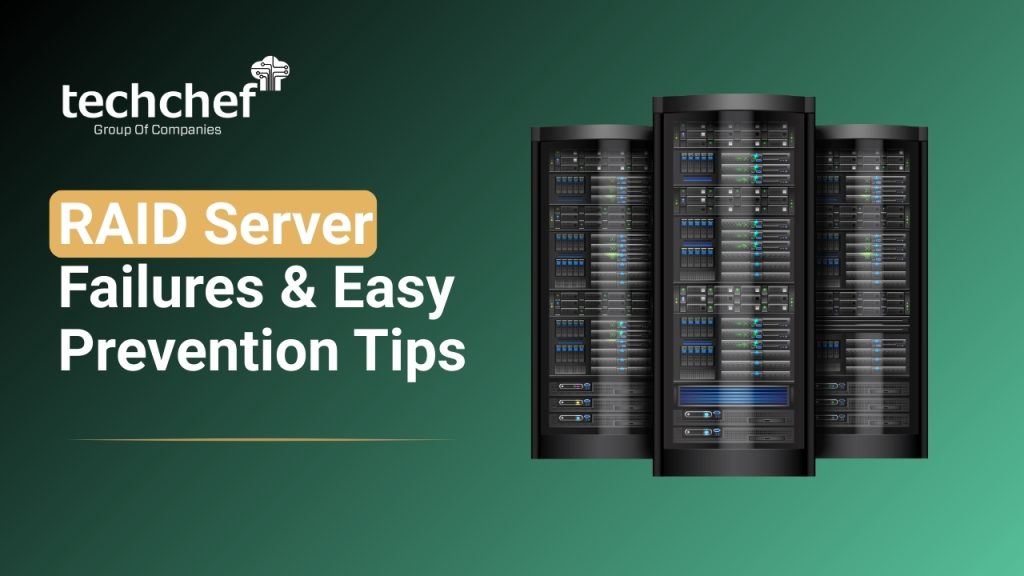
Raid server failures are one of the biggest reasons businesses face sudden downtime and unexpected data loss. When the system that is supposed to offer speed, reliability, and redundancy slows down or collapses, the experience can feel frightening. Many business owners tell me that they felt a sudden sinking feeling in their chest when their RAID storage stopped responding or entire volumes went missing. It is natural to feel stressed in these moments because your data holds years of work, planning, customer trust, and business continuity.
In my 5 years of consulting for IT teams, I have seen how RAID plays a crucial role in storing, protecting, and managing mission critical information. Whether you use RAID for virtual machines, databases, or file storage, understanding Raid server failures gives you a strong advantage in preventing downtime. Today, almost every business depends heavily on RAID backed storage platform. With growing data loads and high performance demands, knowing how to spot risks early and Prevent RAID data loss has become more important than ever. In this guide, I will walk with you step by step and help you understand what actually goes wrong, how you can minimise danger, and how professional support from Techchef protects your precious data during distressing situations.
What Are RAID Server Failures?
Before we explore this in more detail, let us understand what qualifies as Raid server failures. A failure happens when the RAID array becomes unstable, inaccessible, degraded, corrupted, or completely broken due to issues at the disk level, file system level, or controller level. Many people assume that RAID redundancy is equal to complete protection, but that belief often leads to bigger problems.
RAID servers can fail for several reasons including logical corruption, mechanical damage, parity inconsistencies, controller faults, and even human mistakes. These RAID data loss issues often start small but grow quickly when not handled correctly. You may notice symptoms like degraded arrays, missing disks, slow reads, or unexpected rebuild triggers. However, many users ignore these signs because they trust redundancy too much. I have met many business owners who were shocked to learn that redundancy cannot protect against logical corruption or multiple drive failures.
Common types of RAID failures include:
1. Logical corruption which occurs when file systems, partitions, or metadata become damaged due to improper shutdowns or software issues that disrupt normal RAID operations.
Mechanical damage in disks where physical wear, aging components, or internal platter faults gradually weaken the drives and create severe instability inside the RAID array.
Parity calculation errors that appear during data rebuilds or heavy workloads when the system cannot correctly reconstruct missing information and ends up creating inconsistent data blocks.
Controller malfunction caused by firmware corruption, overheating, or electrical problems which suddenly stop the RAID controller from correctly managing all connected disks.
Human error based misconfigurations that happen when users remove the wrong drive, reset RAID settings, apply incorrect rebuild steps, or execute unverified commands leading to immediate data loss.
These failures are often connected to RAID array issues, disk array malfunction, storage controller failure, parity errors, and high RAID rebuild risks.
Did You Know
Did you know RAID configuration errors can corrupt an entire array within minutes?
Major Causes of RAID Server Failures
a. Drive Mechanical Failure
Over time, every hard drive experiences natural wear out. Spinning disks lose efficiency, sectors become weak, and mechanical components age. When even one drive begins to fail silently, the array slowly moves into a degraded state. Many Raid server failures occur when the second drive fails during this period, creating complete collapse. Mechanical failure remains one of the top RAID array failure causes in RAID 5 and RAID 6 because these setups depend heavily on parity and disk health.
b. RAID Controller Failure
Your RAID controller is the brain of the entire setup. If it faces firmware corruption, sudden overheating, or is damaged due to power issues, the entire array becomes unreadable. A controller failure is more frightening because multiple disks may appear failed even when they are healthy. This creates severe RAID data loss issues and confuses users during troubleshooting. Many people attempt random rebuilds at this stage which leads to irreversible data corruption.
c. Parity Calculation and Rebuild Errors
Parity ensures your RAID array can recover missing data, but when parity calculation goes wrong, the data becomes inconsistent. During a rebuild, a single unreadable sector can create RAID rebuild failure. Higher URE risk in RAID 5 and RAID 6 makes them sensitive to heavy workloads and aged disks. Rebuilds in degraded arrays often fail because the remaining disks are already stressed and weak.
d. Multiple Disk Failure
This is one of the most devastating situations. When two or more drives fail in RAID 5 or RAID 6, the array collapses completely. Multiple disk failure happens more frequently during rebuilds because drives run under extreme load. Many users are surprised to learn that rebuilding itself can trigger additional Raid server failures.
e. Human Errors
Human mistakes cause more damage than hardware. I have seen people accidentally pull out the wrong disk, trigger incorrect rebuilds, reset entire RAID configurations, or try DIY recovery tutorials. These actions often overwrite parity or metadata which leads to complex RAID data loss issues that require advanced clean room recovery.
f. Power Surge or UPS Failure
A sudden power cut can cause incomplete writes, damaged cache, and file system corruption. Cache memory holds temporary data, and if it is lost suddenly, your RAID volume may become unreadable.
g. File System Corruption
Even if disks are healthy, OS level corruption in NTFS, EXT, VMFS, or XFS can still make RAID volumes inaccessible. Logical corruption is one of the most silent and dangerous RAID array failure causes.
Did You Know
Did you know a single faulty cable can mimic RAID disk failure symptoms?
Symptoms and Early Warning Signs of RAID Server Failures
When an array begins to degrade, it rarely collapses suddenly. You may notice early warning signs such as:
1. Slow read or write performance that gradually increases over time and indicates that one or more drives are struggling to respond properly under workload pressure.
2. SMART alerts from disks which warn you about rising bad sectors, temperature spikes, and mechanical stress that may trigger sudden RAID degradation.
3. Frequent sync errors where the RAID system repeatedly attempts to balance data but fails due to underlying parity mismatch or disk instability.
4. Missing or inaccessible RAID volumes that suddenly disappear from the operating system and signal a deeper logical or controller level issue.
5. Unexpected rebuild triggers that start without user input and often show that the RAID controller is detecting inconsistencies in data blocks.
6. RAID status warnings appearing on the management dashboard informing you that one or more disks have dropped offline or entered a degraded state.
7. Array degradation alerts which highlight that the RAID structure has lost redundancy and requires immediate action before additional drives fail.
8. Disk health indicators showing rising temperatures that suggest cooling issues or internal mechanical wear which can cause rapid RAID failure.
9. Unusual noises, vibration, or clicking sounds from the RAID enclosure that point to serious physical damage inside one or more hard drives.
10. Sudden system freezes or long boot times that reflect deeper RAID read issues where the controller is unable to fetch data quickly or consistently.
11. Repeated file corruption or unreadable folders which often indicate early stage logical corruption inside the RAID storage volume.
12. Random drive disconnection events where disks appear and disappear from the controller due to cable problems, power issues, or failing SATA/SAS ports.
13. Excessively long rebuild times showing that the healthy disks are under heavy stress or that the array is reaching a critical point of failure.
14. Frequent parity mismatch notifications which show that the RAID parity information is no longer aligned and needs immediate professional inspection.
15. Unstable virtualization or database performance that signals deeper block level inconsistencies inside the RAID structure affecting high load applications.
These symptoms should not be ignored because they are early signs of deeper RAID data loss issues.
Did You Know
Did you know ignoring vibration and unusual noises is one of the top reasons arrays collapse?
How to Prevent RAID Server Failures and Protect Data
a. Regular Health Monitoring
Use SMART tools, RAID monitoring dashboards, and server logs to watch performance and disk health closely. Catching issues early helps you Prevent RAID data loss before failures multiply.
b. Scheduled Drive Replacement
Do not wait for drives to fail naturally. Replace aging disks on time so that your RAID stays healthy. Many companies follow a 3 to 4 year replacement cycle to reduce Raid server failures.
c. Maintain a Verified Backup Strategy
RAID is not equal to backup. Always maintain multiple verified backups across different storage mediums. This is one of the most effective ways to Prevent RAID data loss.
d. Keep Controller Firmware Updated
Regular firmware updates ensure your controller stays stable. Outdated firmware leads to miscommunication between disks and controller.
e. Use Enterprise Grade Drives
Desktop class drives are not designed for 24×7 workloads. Choosing enterprise drives reduces errors and increases long term reliability.
f. Maintain Proper Cooling and Power Protection
Good airflow, cool temperatures, and reliable UPS support protect disks from stress and voltage fluctuations.
g. Never Attempt DIY Recovery
DIY actions create overwrites, metadata loss, and parity corruption. Professional clean room support is essential for safe recovery from Raid server failures.
Did You Know
Did you know RAID rebuild time increases drastically when storage is above 80 percent?
When to Contact a Professional RAID Recovery Expert
Sometimes, shutting down your server immediately is the safest action. If you hear clicking sounds, see multiple drive failures, face controller issues, or experience logical corruption, call an expert. Professional recovery teams create clones of your drives before repairs so that your original data stays untouched.
High risk RAID levels like RAID 0 and RAID 5 require extra caution because they have limited redundancy. When these levels fail, the recovery process becomes more complex and must only be handled in controlled environments.
Did You Know
Did you know replacing drives without proper order can permanently destroy parity data?
Conclusion
Your RAID server plays a central role in protecting your business, and understanding Raid server failures helps you stay prepared instead of panicked. When you recognise the early warning signs, maintain proper backups, replace disks on time, and monitor performance regularly, you create a safe environment for your business data. No matter what type of infrastructure you run, taking these steps helps you lower risks and manage RAID data loss issues with confidence.
Life often teaches us that prevention is always better than cure. When your RAID system does fail, reaching out for timely professional help keeps your business running smoothly. For expert guidance and reliable support, remember that Techchef is always ready to help when you need assistance in moments of digital stress.
For expert RAID data recovery support, visit: Techchef.in
Call us now for a free consultation at 1800-313-1737 and let us assist you in getting your precious data back safely.
FAQs
1. What are the most common RAID server failures?
Drive failure, controller malfunction, parity errors, and file system corruption.
2. Can I rebuild my RAID server on my own?
It is unsafe. DIY rebuilds often worsen the damage. Professional assistance is recommended.
3. How can I prevent RAID server failures?
Regular monitoring, timely drive replacement, verified backups, and maintaining good environmental control.
4. What should I do immediately after a RAID failure?
Shut down the server, avoid rebuild attempts, and contact a professional recovery expert.
5. Does RAID protect me from data loss?
RAID offers redundancy, not complete protection. Backups are still essential.