Hearing a strange clicking sound from your hard drive can be one of the most stressful experiences. Many of us store important documents, family photos, or business records on our drives, and suddenly hearing that repetitive noise can fill you with worry and confusion. You might not know what to do first, and the anxiety can feel overwhelming.
Over the last few years in Hard Drive Data Recovery, I have guided countless people through this stressful situation. That single click does not always mean total data loss. In this blog, we will explore why hard drives click, the common causes, the risks involved, and the practical steps you can take to save your important data quickly. By the end, you will feel more confident and prepared to act calmly and effectively.
What Does a Clicking Hard Drive Really Mean?
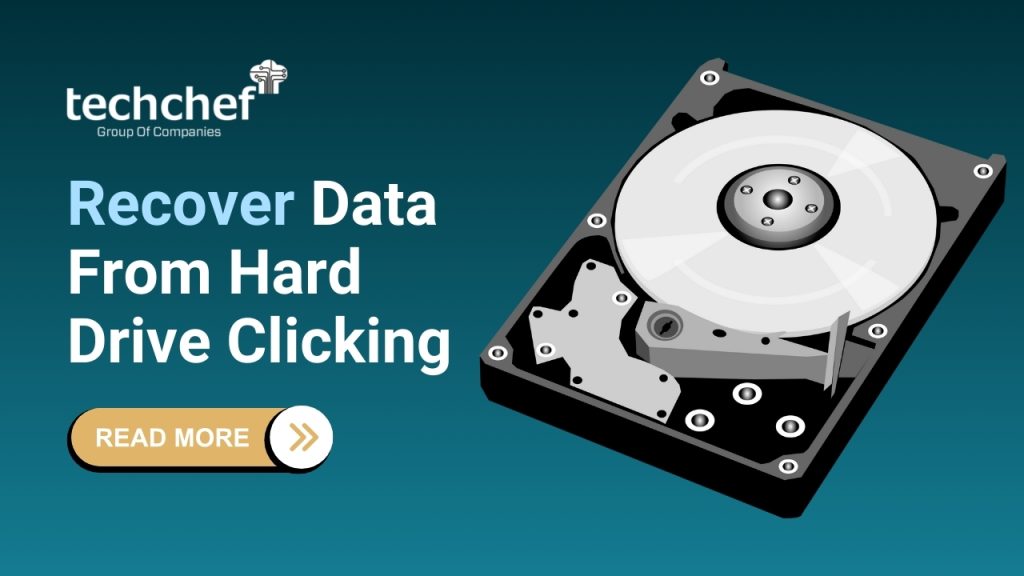
When your hard drive starts clicking, it is often your computer’s way of signalling that something is not right. Inside every hard drive are spinning platters that store your data and delicate read/write heads that move precisely over these platters to access information. These heads are extremely sensitive, and even a small misalignment, physical damage, or issue with power can cause them to struggle to read the data properly. When this happens, you may hear repetitive clicking noises as the heads repeatedly attempt to find the correct track.
It is important to understand that not all sounds from a hard drive are a cause for concern. Normal drives may produce humming, gentle spinning, or faint whirring sounds as part of their usual operation. However, when the clicking becomes loud, rhythmic, and persistent, it is often referred to in the industry as the “click of death.” This term describes a situation where the hard drive is unable to read or write data correctly, putting your important files at serious risk.
The clicking noise can be caused by a variety of underlying problems, from mechanical failure to corrupted firmware. It acts as a warning that immediate action is needed if you want to prevent permanent data loss. Recognizing the difference between harmless drive noises and the dangerous click of death can make all the difference in saving your valuable information.
💡 Did You Know? The term “click of death” was first coined in the 1990s when Zip drives, an older form of storage, began failing with the same repetitive clicking sound, signaling impending data loss.
Common Causes of Hard Drive Clicking
A clicking hard drive does not just happen randomly. There are several common causes, and understanding them can help you act quickly to protect your data. Let us explore these causes in detail.
1. Physical Issues
Physical problems inside the drive are one of the most common reasons for clicking. A head crash or misalignment occurs when the delicate read/write heads of your drive touch or miss the spinning platters. This can prevent data from being read correctly and produce repeated clicking noises.
Worn-out mechanical parts are another factor. Over a few years of regular use, internal components can degrade, causing the drive to struggle when accessing data. Even minor bumps or drops can exacerbate these issues. External shocks, such as accidentally dropping your laptop or knocking your external hard drive, can also misalign components and lead to clicking.
2. Power and Connectivity Issues
Sometimes, the cause is not mechanical but electrical. Faulty or loose cables can prevent proper data transmission, making the drive repeatedly try and fail to read information. An insufficient power supply, especially for external drives, can lead to erratic behavior. Sudden power surges or fluctuations from unstable electricity can damage internal circuits, triggering the clicking sound.
3. Firmware and Software Issues
Not all clicking is physical. Firmware and software problems can also create the same warning signs. Corrupt firmware, which controls the operation of the hard drive, can make the read/write heads malfunction. Similarly, bad sectors or a damaged partition table can confuse the drive, causing it to repeatedly try to access the same area and produce clicking noises.
4. Environmental Factors
Environmental conditions often play a hidden role in drive failure. Overheating due to poor ventilation can strain components and cause misalignment. Dust or moisture in the environment, especially during India’s rainy season, can lead to corrosion or short circuits. Floods or exposure to high humidity are frequent culprits in external hard drive failures.
💡 Did You Know? In India’s monsoon season, nearly 40% of external Hard Drive Data Recovery cases are due to water or humidity damage. This highlights the importance of storing drives in safe, dry locations and acting fast when problems arise.
Warning Signs That Require Immediate Attention
A clicking hard drive is never something to ignore. If you notice this sound along with any of the following signs, it is important to act immediately to protect your data. Recognising these warning signs early can make the difference between successful recovery and permanent data loss.
✅ Freezing or system hang while accessing files
When you try to open documents or photos and your computer suddenly freezes, it is a strong signal that your drive is struggling to read data. Repeated attempts to access files can worsen the situation, so it is best to stop using the drive and take protective steps right away.
✅ Drive not showing up in BIOS
If your computer does not detect the hard drive in BIOS, it indicates a serious problem. This could be due to hardware failure, corrupted firmware, or damaged internal components. Immediate action is necessary because continued attempts to power on the drive may reduce the chances of recovery.
✅ Slower-than-usual file transfers
When copying or moving files takes longer than normal, it is often a sign that the drive is encountering bad sectors or mechanical issues. While this may seem minor at first, slower transfers often precede more severe failures, and ignoring them can put your data at greater risk.
✅ Data disappearing gradually
Files vanishing or becoming corrupted without explanation is a warning that your hard drive is failing. Sometimes only certain folders or files are affected at first, giving a false sense of safety. It is crucial to back up any accessible data immediately.
✅ Unusual increase in noise over a few days
A drive that starts clicking more frequently or loudly over a short period is showing signs of imminent failure. Every additional day of use can cause further damage to the platters and read/write heads, making professional recovery more difficult and costly.
💡 Tip: Even if your drive still works occasionally, avoid using it for any important tasks. Instead, focus on backing up accessible data and contacting a professional for Hard Drive Data Recovery. Acting quickly greatly increases the chances of saving your files.
Quick First Steps to Save Your Data Immediately
When your hard drive starts clicking, every second counts. Acting quickly and carefully can significantly increase the chances of successfully recovering your valuable files. Here are the steps you should take immediately:
✅ Stop using the drive
Continuing to access or write data to a clicking drive can cause further physical damage. Every time the read/write heads attempt to access damaged platters, it increases the risk of permanent data loss. At this stage, it is crucial to avoid any activities that could worsen the problem, even if the drive appears to still work occasionally.
✅ Check all basic connections
Sometimes, a clicking hard drive can be caused by loose or faulty cables. Inspect the SATA or USB cable carefully and ensure it is firmly connected to both the drive and the computer. Also, verify that the power supply is stable. Even small fluctuations or a loose connection can prevent proper communication between the drive and your system.
✅ Try alternative ports or enclosures
If you are using an external drive, connecting it to a different USB port or a powered hub can sometimes help. Similarly, placing the drive in another compatible enclosure may temporarily stabilize it, allowing you to back up accessible files. However, this should be done cautiously and only after stopping any unnecessary activity on the drive.
✅ Back up accessible files immediately
If your drive allows you to access some files, prioritize backing them up immediately. Copy the most important documents, photos, and business files first. Even partial backups can save critical data and reduce stress while professional recovery is arranged.
✅ Avoid risky DIY fixes
You might come across advice online suggesting freezing the drive, tapping it gently, or using software hacks. These methods may seem tempting, but they often cause more harm than good. Physical interventions can lead to irreversible damage to platters and heads, making professional Hard Drive Data Recovery significantly harder and more expensive.
💡 Did You Know? Some drives that click still operate intermittently for a few hours or even a couple of days. Acting quickly during this window can significantly improve the success rate of Hard Drive Data Recovery.
Fixes That Actually Work for Clicking Hard Drives
When a hard drive begins clicking, it is natural to feel stressed and uncertain about what to do. While some issues can be addressed at home, others require professional attention. Understanding which fixes are safe and effective can save you time, money, and, most importantly, your precious data.
1. Basic User-Level Fixes
For many users, the problem may not be severe and can often be resolved with simple steps:
✅ Replace faulty cables
A damaged or loose cable is a common cause of clicking. Inspect both the data and power cables carefully. Replacing them with a good-quality cable can sometimes restore normal function and prevent further strain on the drive.
✅ Use a powered USB hub for external drives
External drives may not receive sufficient power from certain USB ports, especially on laptops. Using a powered hub ensures the drive gets consistent power, reducing the risk of repeated clicking caused by power fluctuations.
✅ Update or reinstall system drivers
Outdated or corrupted drivers can interfere with drive operation. Checking for the latest drivers or reinstalling them can solve software-related clicking issues. Always restart your system after updating drivers to ensure the changes take effect properly.
2. Advanced/Professional-Level Fixes
Some clicking issues are caused by internal mechanical or firmware problems that cannot be fixed safely at home. Professional labs are equipped to handle these cases:
✅ Cleanroom environments for head replacement
In severe cases, the read/write heads may need replacement. This procedure is performed in a dust-free cleanroom to prevent contamination of the platters. Even a tiny particle of dust can scratch the surface and make data unrecoverable.
✅ Firmware repair tools
Sometimes the drive’s firmware becomes corrupted, causing erratic behavior. Professional technicians use specialised tools to repair firmware issues without risking data loss.
✅ Specialized data extraction devices
High-end labs have devices that can extract data directly from malfunctioning platters, even if the drive is making clicking sounds. These tools are designed to work safely with failing hardware and maximize recovery success.
This is where expert labs like Techchef Data Recovery come in. With ISO-certified cleanrooms, advanced equipment, and skilled engineers, they can rescue data from situations that look impossible to most users. They follow strict protocols to ensure the integrity of your files, giving you the best chance to recover critical documents, photos, or business records.
💡 Tip: Attempting DIY repairs on a clicking drive, such as opening it or tapping it, can permanently damage the platters and make professional recovery impossible.
Conclusion
I know how stressful it feels when your hard drive starts clicking. The fear of losing family memories, financial data, or years of hard work can be overwhelming. But remember, this sound does not always mean total loss. With the right steps, most of your data can still be recovered.
The sooner you act, the higher your chances of success. Don’t wait until the clicking turns into silence. For valuable data, professional help is the safest path. Your memories, your business, and your peace of mind deserve the best care.
👉 For expert help, contact Techchef Data Recovery at 1800-313-1737 or visit www.techchef.in today.
FAQs
1. Can a clicking hard drive be fixed at home?
No, not if it’s a physical problem. You may try checking cables or power, but for actual repairs you need professional help.
2. How much time do I have before it fails completely?
Sometimes hours, sometimes days. But you cannot predict — act immediately.
3. Is freezing a hard drive safe?
Not at all. It causes condensation and can make recovery impossible.
4. How do professionals recover data from a clicking drive?
They use cleanrooms, replace faulty heads, repair firmware, and then copy data using specialist tools.
5. Is it cheaper to repair or replace the drive?
The drive itself is cheap to replace, but your data is priceless. Recovery focuses on saving your data, not the drive.