During the Mumbai floods of 2023, a small business owner watched helplessly as his office computers went silent. The water had reached the storage room, and by morning, his hard drives refused to start. Years of invoices, client files, and photographs were suddenly gone. It was only later that he learned about Hard Drive Data Recovery, the process that could have brought back what seemed lost forever.
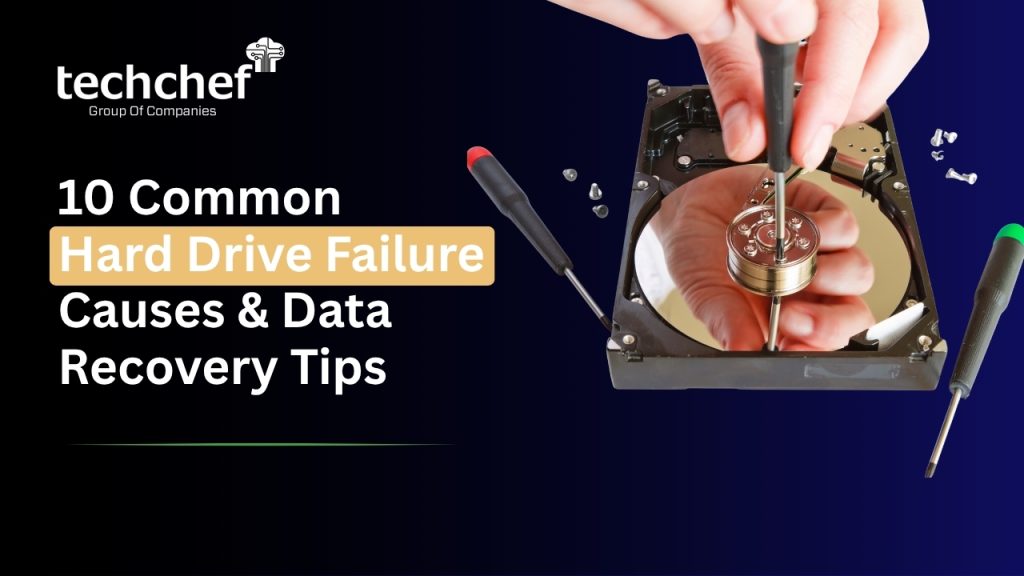
If you have ever faced that silent screen or heard that strange clicking noise from your hard drive, you know how frightening it feels. Whether it is family memories, student projects, or business data, the thought of losing them can be heartbreaking. But there is hope. In this article, we will explore the 10 most common reasons for hard drive failure and share practical ways to recover your valuable data safely. With the right knowledge and timely action, your lost data can often find its way back home.
Understanding Hard Drive Failure
Before we begin fixing the problem, it helps to understand what a hard drive failure really means and why it happens in the first place.
A hard drive failure occurs when your computer’s main data storage device stops working the way it should. This may happen because of hardware damage, internal corruption, or gradual wear and tear. When a failure occurs, your system may not detect the drive at all, or you might see messages like “Drive not accessible” or “Hard disk not detected.” In some cases, the system runs very slowly, files disappear, or you may hear unusual sounds while it is running.
Most people think a failed hard drive means their data is gone forever, but that is not always true. The good news is that many failures are recoverable if handled correctly and at the right time. Knowing what type of failure you are dealing with makes a big difference in choosing the right recovery approach.
Types of Hard Drive Failures
1. Physical Failure
This type of failure involves actual damage to the hardware. The moving parts inside your drive, such as the spinning platters, the motor, or the delicate read/write heads, can be harmed by drops, shocks, overheating, or simply aging over time. When this happens, you might hear a clicking noise in the hard drive or grinding sounds, which means the internal components are struggling to function properly. Physical failures often require professional help and special tools to recover the data safely.
2. Logical Failure
Logical failure occurs when the hard drive itself is fine, but the data structure becomes damaged. This can happen due to sudden shutdowns, file system corruption, software issues, or even accidental formatting. In this case, the drive is usually visible to your computer, but the data is inaccessible or appears scrambled. Logical problems can sometimes be resolved with the right recovery software, but using the wrong tools can make the situation worse.
3. Firmware Failure
Firmware is the tiny but powerful program inside your hard drive that controls how it communicates with your system. If this firmware becomes corrupted, the computer may not recognize the drive at all. The drive might spin, but it will not appear in BIOS or on your screen. This kind of failure is quite technical and can only be repaired by experts with the right knowledge and equipment.
Each type of failure shows different warning signs. A slowing computer, disappearing folders, repeated error messages, or unusual noises can all point to trouble ahead. Paying attention to these early hard drive failure symptoms gives you a chance to act before total loss occurs.
💡 Did You Know?
Nearly 60 percent of all hard drive failures are caused by mechanical issues such as spindle motor problems, head crashes, or platter damage. Early detection and professional Hard Drive Data Recovery can often bring back most, if not all, of your important files.
10 Common Reasons for Hard Drive Failure
Let us now look closely at the ten most common reasons behind hard drive damage and the safe ways to recover your valuable data in each case. These examples and recovery tips come from real experiences and professional insights gathered over decades of work in data recovery.
Reason 1: Physical Damage or Dropping the Drive
Accidental shocks and drops are among the most frequent causes of hard drive failure. Even a short fall can disturb the delicate balance of internal components such as the read or write heads and the spinning platters. When these parts come into contact, they can scratch the surface of the platters, permanently damaging the data stored there.
Portable external drives are especially vulnerable because they are carried around, plugged in and out often, or stored loosely in bags. A single bump during transport can lead to serious internal harm that may not be visible from outside.
If the drive that was dropped starts making clicking or grinding sounds, avoid turning it on repeatedly. Each attempt can cause further scratches and loss of data.
Recovery Tip:
If your dropped drive is not spinning or is not detected by the system, do not try to open or power it again. Contact a professional Hard Drive Data Recovery service immediately. Specialists use a dust-free cleanroom and precision tools to recover data from physically damaged drives safely.
Reason 2: Overheating
Heat is one of the biggest enemies of any hard drive. Continuous operation in a hot environment or inside a cabinet with poor ventilation can cause the temperature to rise far beyond safe levels. Dust buildup, faulty cooling fans, or blocked air vents are common reasons why drives overheat.
When the temperature inside a hard drive increases, the metallic parts expand slightly, and the thin layer of lubrication on the spindle and platters can dry up. Over time, this leads to friction, slow performance, and, in severe cases, permanent failure. Laptops used on beds or cushions also tend to trap heat and block airflow, causing further stress.
Recovery Tip:
Switch off your computer and allow it to cool completely. Clean the ventilation grills and ensure that the fans are working properly. Avoid placing your system in enclosed or dusty areas. For long-term protection, maintain an air-conditioned workspace and monitor the system temperature regularly. If the drive has already failed, seek expert help for recovery.
Reason 3: Power Surges or Sudden Outages
Electricity fluctuations are quite common in many parts of India, and they can harm a hard drive within seconds. A sudden spike in voltage or an unexpected power cut can burn the circuit board or short-circuit the internal controller chip. When this happens, the drive often becomes inaccessible, showing messages like “Drive not detected” or “Disk not found.”
Imagine transferring an important project file or video recording and the power goes off mid-transfer. When you restart the computer, the drive refuses to appear. Such incidents are stressful but not rare.
Recovery Tip:
Always use a good-quality UPS or surge protector to shield your computer from voltage changes. If your drive stops working after a power event, avoid experimenting with cables or circuit replacements on your own. In most cases, specialists can replace the damaged electronic board or repair the power components and then perform Dead Hard Drive Recovery safely.
Reason 4: Firmware or Controller Failure
Every hard drive contains firmware, a small but critical piece of software that controls how it reads, writes, and communicates with the computer. If this firmware becomes corrupted or the controller chip fails, the drive may still spin but remain invisible to the operating system. In other cases, it might show an incorrect name or capacity when checked in BIOS.
This kind of problem is difficult for users to fix at home because it involves working directly with electronic circuits and unique firmware codes that differ from one drive model to another.
Recovery Tip:
Do not attempt to update or rewrite the firmware without proper tools. Only specialized recovery centers such as Techchef Data Recovery have access to the equipment and databases required to repair or replace firmware chips. Their trained engineers can restore the firmware and extract your data securely without causing further harm.
Reason 5: Bad Sectors
Bad sectors are small sections of a hard drive that become unreadable. These damaged spots can appear naturally as a drive ages or due to overheating, power failures, or improper shutdowns. When your system encounters bad sectors, it may take longer to open files, or it may freeze during transfers. You may also notice error messages such as “Data error (cyclic redundancy check).”
If only a few sectors are affected, the drive can still function, but once they start spreading, the data stored in those areas becomes permanently corrupted.
Recovery Tip:
You can use built-in tools like CHKDSK in Windows to locate bad sectors, but use them with care. Repeated scans or writes can make the condition worse. If large portions of your drive show bad sectors, avoid further use. Contact a professional Hard Drive Data Recovery expert who can clone the drive and recover data before complete failure occurs.
Reason 6: File System Corruption
A file system acts like a guide that helps your computer locate files. When it gets corrupted, the drive may appear as “unformatted” or prompt you to format it before use. Common causes of file system corruption include improper removal of external drives, malware infections, and sudden system crashes.
In such cases, the data itself may still exist on the drive, but the system can no longer read the structure that points to it. Many users panic and press the “Format” button, which often makes recovery much more difficult.
Recovery Tip:
Never format the drive when this message appears. Keep it disconnected and seek help immediately. Professional tools can repair or rebuild the file system structure without overwriting the original data. Safe handling at this stage can make full recovery possible through skilled Hard Drive Data Recovery processes.
Reason 7: Human Errors
Human mistakes account for a surprising number of data loss cases. Accidentally deleting folders, formatting the wrong partition, or reinstalling the operating system on the wrong drive are everyday incidents. Once this happens, the data does not vanish right away; it simply becomes hidden from the file index. However, any new file saved to that drive may overwrite the deleted data.
Because of this, timing is very important. The faster you act after realizing the mistake, the greater the chance of success.
Recovery Tip:
Stop using the affected drive immediately. Do not copy, download, or install any programs on it. Contact a data recovery professional who can use imaging tools to retrieve deleted or formatted data without risking overwriting. With prompt action, most human error cases can be fully recovered.
Reason 8: Virus or Malware Attack
Malicious software is another major reason for hard drive problems. Viruses and ransomware can encrypt, hide, or delete your data. In recent years, ransomware attacks have increased sharply, affecting not just big companies but also small businesses and home users. In many cases, files get locked with unknown extensions and cannot be opened without a decryption key.
Some malware programs also damage the boot sector or file allocation table, making the entire drive inaccessible.
Recovery Tip:
If you suspect a virus infection, disconnect the system from the internet immediately to prevent the spread. Avoid paying ransom to unlock the files, as it rarely guarantees recovery. Seek help from trusted cybersecurity experts or Hard Drive Data Recovery professionals who can isolate the infected drive, remove the malware safely, and restore accessible data.
Reason 9: Manufacturing Defects or Aging Drives
No mechanical device lasts forever, and hard drives are no exception. On average, a drive’s lifespan ranges from three to five years depending on usage. As time passes, moving parts inside the drive experience wear and tear. Bearings lose balance, the motor weakens, and the magnetic coating on platters starts degrading. Eventually, this results in performance issues, unreadable files, or total failure.
Sometimes, even new drives can fail early due to manufacturing defects. Such issues may not appear until months after purchase.
Recovery Tip:
Regularly check your drive’s health using SMART monitoring tools. They show parameters like “Reallocated Sectors Count” or “Read Error Rate,” which indicate early warning signs. If you see such alerts, take an immediate backup of your data and replace the drive before it stops working completely. Prevention is always easier than recovery.
Reason 10: Environmental Factors
Hard drives are sensitive devices that need stable environmental conditions to function properly. Excessive humidity, dust, high temperatures, or exposure to strong magnetic fields can cause both physical and electronic damage. In flood-affected regions, moisture often seeps inside the drive, leading to rust, mold, or short circuits. Likewise, keeping drives in very hot or cold places can make internal parts contract or expand, affecting precision.
Many businesses in coastal or humid areas face such issues when storage rooms are not climate controlled.
Recovery Tip:
Always store drives in clean, dry spaces with moderate temperatures. Use airtight boxes and silica gel packets to absorb moisture. If your drive has been exposed to water or flood damage, do not attempt to dry it using heaters or hairdryers. Such actions can permanently destroy the magnetic layer. Instead, place it in a sealed bag and contact experts experienced in Dead Hard Drive Recovery immediately.
💡 Did You Know?
Environmental conditions are responsible for nearly one-fifth of hard drive failures reported in flood-prone parts of India. Proper storage and quick professional attention can save most of the data even after severe exposure to water or humidity.
4. Signs Your Hard Drive Is About to Fail
A hard drive rarely fails without warning. Just like any other mechanical device, it gives several early signs that something is not right. Unfortunately, many people ignore these small signals until the drive completely stops working. Recognising these early symptoms can make all the difference between a simple recovery and permanent data loss.
When your computer starts acting strange, it is often your hard drive’s way of asking for help. Files take too long to open, programs freeze in the middle of your work, or you hear noises that were never there before. These are not random glitches but serious indicators that your drive is struggling. Paying attention at this stage allows you to back up your data safely before it becomes too late.
Common Warning Signs
1. Unusual Noises (Clicking or Grinding Sounds)
One of the most common and alarming signs of failure is a repetitive clicking or grinding sound coming from your hard drive. This usually happens when the read/write head is trying to access data but cannot locate it properly. Every click means the internal parts are hitting against each other, which can lead to physical damage if ignored. Once you hear this sound, switch off your system immediately and avoid using it until a professional checks the drive.
2. Frequent System Crashes or Freezes
If your computer crashes or freezes regularly, especially while accessing certain files or applications, the hard drive could be the reason. Many people assume this is due to software errors, but in reality, it can indicate corrupted sectors or mechanical wear inside the drive. The system may work fine after restarting, but the underlying issue continues to grow with time.
3. Disappearing Files or Slow File Access
When files take unusually long to open or vanish without reason, it is a strong sign that parts of the drive have become unreadable. Sometimes, folders appear empty even though you know they contained data. These symptoms suggest logical errors or the beginning of bad sectors spreading across the surface of the disk.
4. Error Messages or Drive Detection Issues
Seeing messages such as “Drive not accessible,” “Hard disk not detected,” or “Windows cannot complete the format” can be frightening. These alerts mean your system is struggling to communicate with the drive. The connection might be failing due to firmware issues, damaged cables, or internal faults. Ignoring these warnings often leads to complete inaccessibility later.
5. Slow Boot Times and Corrupted Folders
If your computer takes much longer than usual to start or certain folders become unreadable, the drive might be experiencing early-stage mechanical or logical trouble. You might also notice missing icons, broken shortcuts, or unreadable documents. Each of these small signs adds up and indicates that your data is at risk.
💡 Did You Know Fact?
More than 70% of data loss cases could have been prevented if users had acted within the first 24 hours of early failure signs.
How to Recover Data from a Failed Hard Drive
Now that we understand the causes, let’s look at how to recover your data safely.
A. Basic Recovery Steps (for minor issues)
If your drive is still partially working:
1. Check Power and Cables: Loose or damaged cables are common culprits. Reconnect or try different ports.
2. Try Another Computer: Sometimes, your system may have driver conflicts. Testing on another device helps confirm the issue.
3. Use Disk Management: In Windows, open “Disk Management” to see if the drive appears but is unallocated.
4. Run Basic Utilities: Use Check Disk (chkdsk) or SMART monitoring tools to assess health.
If these steps fail, do not push the drive further, you may cause irreversible platter damage.
B. Professional Recovery Process (for severe issues)
When your drive is dead, clicking, or completely undetected, professional help is your safest option. Here’s how experts handle it:
1. Diagnosis: The drive is examined to identify whether it’s a physical, logical, or firmware failure.
2. Cleanroom Environment: Technicians open the drive in a certified cleanroom to prevent dust contamination.
3. Imaging and Cloning: Instead of working on the original drive, they create a low-level image to recover data from.
4. Component Repair: If necessary, damaged heads or PCBs are replaced using donor parts.
5. Data Extraction: Using specialized recovery software, data is extracted, reconstructed, and verified.
This process ensures your drive remains intact while maximizing recovery chances.
Avoid using random online recovery tools, they often worsen damage and reduce the possibility of full restoration.
💡 Did You Know Fact?
Professional recovery success rates exceed 90% when users avoid powering on the damaged drive repeatedly.
6. Preventive Tips to Avoid Future Hard Drive Failures
While recovery is possible, prevention is always better. Here’s how you can extend your drive’s lifespan and protect your data:
✅ Backup Regularly: Maintain both local (external hard drive) and cloud backups.
✅ Avoid Overheating: Keep your system ventilated and dust-free.
✅ Use Surge Protectors: Safeguard against voltage fluctuations.
✅ Handle Carefully: Always eject external drives safely before unplugging.
✅ Replace Old Drives: Upgrade every 4–5 years to newer technology.
✅ Run Health Checks: Use SMART tools like CrystalDiskInfo or HDDScan periodically.
💡 Did You Know Fact?
A consistent backup routine can reduce the impact of drive failures by up to 95%.
Preventive Tips to Avoid Future Hard Drive Failures
While recovery is possible, prevention is always better. Here’s how you can extend your drive’s lifespan and protect your data:
✅ Backup Regularly: Maintain both local (external hard drive) and cloud backups.
✅ Avoid Overheating: Keep your system ventilated and dust-free.
✅ Use Surge Protectors: Safeguard against voltage fluctuations.
✅ Handle Carefully: Always eject external drives safely before unplugging.
✅ Replace Old Drives: Upgrade every 4–5 years to newer technology.
✅ Run Health Checks: Use SMART tools like CrystalDiskInfo or HDDScan periodically.
💡 Did You Know Fact?
A consistent backup routine can reduce the impact of drive failures by up to 95%.
Why Professional Data Recovery Services Are Worth It
When a hard drive stops working, many people first try free software or online fixes. However, most do not realize that a damaged drive is extremely sensitive. A single wrong step can make recovery impossible. Professional experts, such as the team at Techchef Data Recovery, have the right tools, training, and cleanroom facilities to handle even the most serious cases. They can safely work on drives affected by water, fire, power surges, or physical damage without risking further loss. Their experience and precision often make the difference between partial recovery and complete success.
Choosing professional help also means your data stays private and secure. Trusted recovery labs follow strict confidentiality practices to protect your personal and business information. The cost of professional Hard Drive Data Recovery is small compared to the value of your lost files, be it company records, hospital data, or years of memories. In the end, expert recovery is not just about saving data but also about restoring peace of mind, knowing your most important information is in safe hands.
Conclusion
Hard drive failure can happen to anyone, often without warning. Whether it is due to floods, power surges, or simple aging, the sudden loss of data can feel overwhelming. Yet, it is important to remember that losing access to your files does not always mean they are gone forever. With the right steps, timely action, and professional support, most data can still be recovered. From personal memories to critical business records, every file has value, and saving it is always worth the effort.
When your hard drive stops responding or starts making unusual sounds, do not panic, and do not attempt random fixes. The sooner you act, the better the chances of full recovery. Expert teams like Techchef Data Recovery have helped countless individuals and businesses restore what they thought was lost forever. Their knowledge, cleanroom facilities, and care-driven approach ensure your data is handled with complete safety and confidentiality. So, if you are facing a hard drive crash or water damage, reach out for help instead of losing hope. Visit www.techchef.in or call us now at 1800-313-1737 to speak with our data recovery specialists and bring your valuable data back to life.
Frequently Asked Questions (FAQ)
Q1. Can I recover data from a dead hard drive at home?
If the drive isn’t spinning or making a clicking noise, do not attempt DIY fixes. It likely needs Dead Hard Drive Recovery in a cleanroom environment.
Q2. What’s the cost of professional hard drive data recovery in India?
It depends on damage type and capacity. Logical recoveries are cheaper, while physical repairs involving head or platter replacement may cost more.
Q3. Is it possible to recover files after formatting the drive?
Yes, if the drive hasn’t been overwritten. Recovery tools or professionals can often restore formatted partitions successfully.
Q4. What’s the difference between logical and physical failure?
Logical failures affect the data structure (like file system corruption), while physical failures damage actual components.
Q5. How long does data recovery take?
Simple recoveries may finish in 24–48 hours, while complex cases can take a few days depending on drive condition.