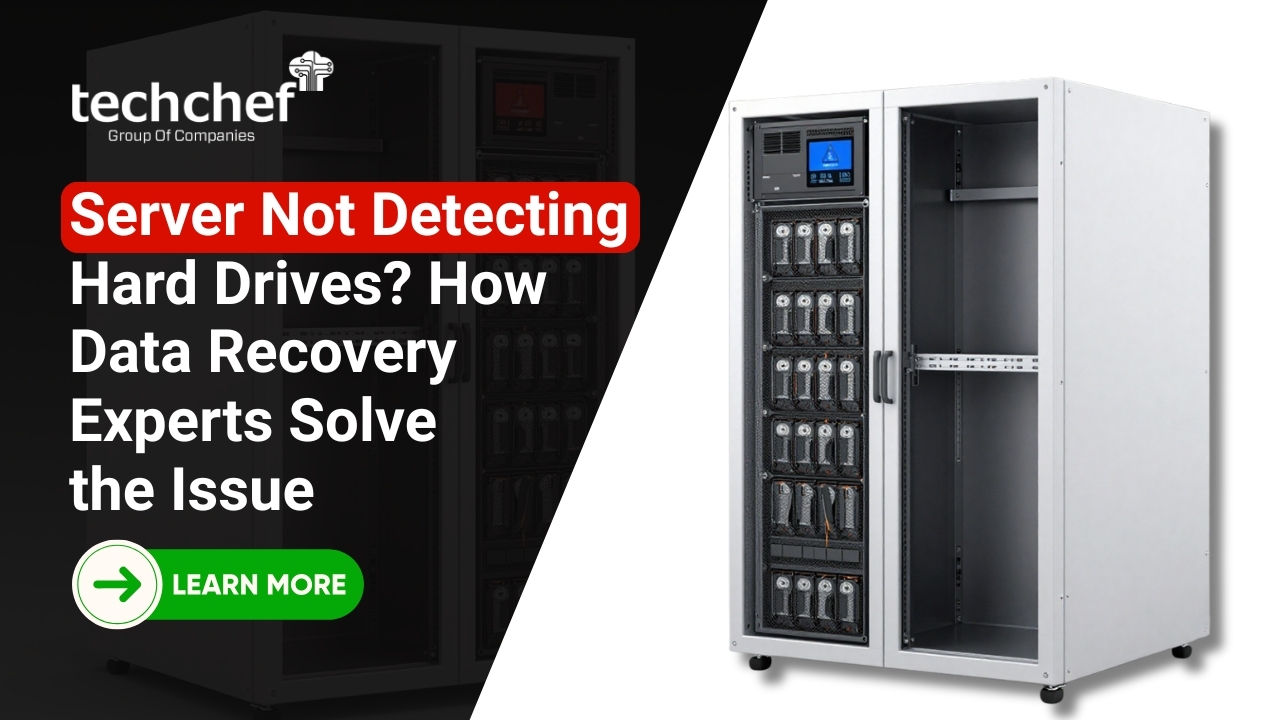
Server Data Recovery becomes an immediate priority when a server fails to detect its hard drives, whether it is a Dell PowerEdge, HPE ProLiant, Lenovo ThinkSystem, IBM System x, Supermicro, Cisco UCS, or Oracle Sun server. This situation is critical for businesses, as servers store mission-critical data such as databases, emails, applications, and customer records. Such failures can impact RAID, NAS, SAN, or DAS environments across RAID levels 0, 1, 5, 6, and 10, using SAS, SATA, SSD, or NVMe drives.
Immediate expert intervention is essential to prevent permanent data loss caused by RAID failure, controller malfunction, or firmware corruption.
When drives disappear from the system, it may look like all data is lost, but in many cases, the data still exists and can be recovered with the right expertise and approach. A server not detecting hard drives does not always indicate physical destruction. The issue may stem from controller failures, firmware corruption, logical errors, or connection problems.
Understanding why servers fail to recognize drives and how professionals Recover data from server hard drive systems helps businesses avoid panic-driven decisions that often worsen the damage. This article explains the causes, risks, and professional solutions involved in restoring access to server data safely.
Why Servers Suddenly Lose Visibility of Installed Hard Drives
When a server loses visibility of its installed hard drives, it indicates a breakdown in communication between the storage media and the system. This communication can fail at several layers, including the RAID controller, firmware, BIOS, operating system, or even the server backplane. In enterprise environments, servers rely on precise coordination between hardware and software components, and even a minor disruption such as a sudden power fluctuation, improper shutdown, or firmware inconsistency can cause drives to appear missing or offline without any physical damage.
Although the message Server Not Detecting Hard Drives sounds severe and alarming, it does not automatically mean the data is lost permanently. In many real-world scenarios, the hard drives still contain intact data, but the server cannot interpret or access it due to corrupted RAID metadata, controller malfunction, mismatched configurations, or logical inconsistencies. This is where accurate analysis becomes critical. Correct diagnosis is essential for safe Server Data Recovery, as different causes require different recovery strategies, and applying the wrong method can convert a recoverable situation into permanent data loss.
Did you know?
In a large number of server recovery cases, hard drives are fully functional but become inaccessible due to controller firmware corruption or metadata mismatch rather than actual physical disk failure.
Key Reasons Behind Hard Drive Detection Failures in Servers
✔️ RAID Controller Malfunction
The RAID controller manages how data is read and written across multiple drives. If the controller firmware becomes corrupted or the hardware fails, the server may suddenly stop detecting all connected drives. This often leads administrators to believe the drives are damaged, when in reality the data is still recoverable using advanced Hard Drive Data Recovery techniques.
✔️ Firmware or BIOS Corruption
Firmware updates interrupted by power loss or system crashes can corrupt low level configurations. When this happens, the server BIOS may fail to recognize drives even though they are physically healthy. Recovering data in such cases requires careful handling to Recover Data from Server systems without overwriting existing metadata.
✔️ Multiple Drive Failures in RAID
In RAID-based servers, the failure of more drives than the RAID level can tolerate may cause the entire array to go offline. This results in missing or undetected drives, significantly increasing the complexity of Server Data Recovery.
✔️ File System or Logical Corruption
Sometimes the server hardware detects the drives, but the operating system cannot mount them due to corrupted file systems or partition tables. These logical issues often require professional Recover data from server hard drive solutions rather than hardware replacement.
Why Self-Troubleshooting Server Drive Issues Can Be Dangerous
When a server is not detecting hard drives, the pressure to restore operations quickly often leads IT teams to attempt immediate fixes. Common actions include repeated reboots, reseating or swapping drives, updating RAID controller firmware, resetting BIOS settings, or forcing RAID rebuilds. While these steps may appear harmless or routine, they can unintentionally overwrite critical RAID metadata, alter disk order information, or initiate background synchronization processes that permanently damage stored data. In many cases, these actions reduce the chances of successful Server Data Recovery.
Another major risk lies in the use of generic or desktop-based recovery tools. DIY software solutions are not designed to handle complex server architectures, multi-disk RAID arrays, or enterprise-grade file systems. These tools often misinterpret RAID parameters such as stripe size, parity rotation, and block sequence, which can corrupt the logical structure of the data.
Instead of helping to Recover data from server hard drive systems, they frequently worsen the situation by modifying original disks. Professional recovery specialists avoid working directly on live drives. They use controlled, non destructive techniques, disk imaging, and virtual reconstruction methods to preserve data integrity and maximize recovery success.
Did you know?
A significant percentage of unrecoverable server data loss cases are caused not by the initial failure, but by failed DIY recovery attempts that overwrite metadata or trigger irreversible RAID rebuild operations.
Critical First Actions to Protect Data When Server Drives Go Missing
The actions taken immediately after a server is not detecting hard drives play a decisive role in whether Server Data Recovery will be successful or not. In enterprise environments, even a single incorrect step can overwrite critical metadata, disrupt RAID structure, or trigger irreversible data loss. A calm, methodical response focused on preservation rather than quick fixes is essential to safeguard business-critical information.
1. Power down the server immediately
As soon as the issue is identified, the server should be powered off in a controlled manner. Continuing to run a server that cannot properly detect its hard drives increases the risk of background write operations, automated system checks, or RAID controller actions that may overwrite valuable data blocks. Shutting down the system halts all read and write activity, creating a stable state that is crucial for successful Recover data from server hard drive processes.
2. Do not initialize, format, or rebuild any drives
One of the most damaging actions after a server failure is initiating drive initialization, formatting, or forced RAID rebuilds. These processes rewrite critical metadata and parity information, often making professional recovery significantly more difficult or impossible. Even if the system prompts such actions as “recommended,” they should be avoided until data has been safely recovered through proper Server Data Recovery methods.
3. Avoid updating firmware or BIOS without expert guidance
Firmware and BIOS updates can permanently alter how a server communicates with its storage subsystem. While updates are sometimes necessary, performing them during a failure scenario can lead to mismatched configurations, incompatible RAID metadata, or complete loss of array recognition.
Experts specializing in Recover Data from Server environments first analyze the existing configuration before deciding whether any firmware-level changes are safe or required.
4. Label each drive according to its original slot position
In RAID based servers, drive order is critical. Removing drives without documenting their original slot positions can disrupt RAID reconstruction and complicate Hard Drive Data Recovery efforts.
Each drive should be carefully labeled based on its physical bay number, and no drives should be swapped or reordered. This simple step significantly improves the accuracy and speed of recovery.
5. Contact professional Server Data Recovery experts immediately
Once the server is powered down and drives are secured, the next step is to engage experienced Server Data Recovery specialists. Professional recovery teams use nondestructive imaging, virtual RAID reconstruction, and controlled analysis to safely Recover Data from Server systems without risking further damage. Early expert involvement often results in higher recovery success and reduced downtime for the business.
These steps help preserve the exact condition of the server storage at the time of failure. By preventing further damage and avoiding risky actions, they create the best possible foundation for secure, accurate, and complete data recovery.
How Specialists Identify the Root Cause of Server Drive Detection Problems
Professional Server Data Recovery always begins with a structured and methodical diagnostic process rather than assumptions or trial-and-error fixes. Data recovery engineers first determine whether the issue is physical, logical, firmware-related, or controller-based, as each category requires a completely different recovery approach.
This initial classification is critical because applying the wrong solution can worsen the condition of the drives and permanently affect the chances to Recover data from server hard drive systems. Specialists use dedicated diagnostic tools to safely assess the condition of each component without altering the original data.
Each hard drive is tested individually in a controlled environment to identify bad sectors, electronic failures, firmware inconsistencies, or mechanical instability. Drives that show signs of degradation are stabilized before further processing to prevent additional damage. At the same time, recovery experts analyze RAID controllers, system logs, error codes, and event histories to understand why the server stopped detecting drives in the first place.
This deep analysis helps determine whether the issue originated from RAID metadata corruption, controller firmware mismatch, power-related damage, or logical configuration errors. This diagnostic phase defines the safest and most effective recovery path. Accurate diagnosis not only prevents unnecessary interventions but also significantly improves Hard Drive Data Recovery success rates and ensures data integrity throughout the recovery process.
Did you know?
In many enterprise server failures, the root cause is identified as metadata inconsistency rather than physical disk damage, making full Server Data Recovery possible when diagnosed correctly at the early stage.
Expert Techniques Used to Restore Access to Undetected Server Drives
Professional Server Data Recovery follows a noninvasive, step-by-step methodology designed to protect original data and prevent any further risk to critical business information. Instead of attempting direct repairs on live drives, recovery specialists focus on preservation first, ensuring that the original storage media remains unchanged throughout the entire process.
Disk Imaging
Experts begin by creating exact sector-by-sector images of each hard drive using advanced imaging tools. These images capture every data block, including deleted files, system metadata, and RAID configuration information. Working on these secure images instead of original drives ensures that no accidental overwrites occur, which is essential when trying to Recover data from server hard drive systems affected by detection failures.
Virtual Reconstruction
For RAID-based servers, engineers virtually rebuild the RAID array by carefully identifying disk order, stripe size, parity rotation, block sequence, and metadata structure. This reconstruction is performed in a controlled software environment, allowing specialists to simulate the original server configuration. Through this approach, recovery experts can safely access data even when RAID controllers are damaged, missing, or incompatible, enabling successful Server Data Recovery without relying on the original hardware.
Data Extraction and Validation
Once the virtual environment is stable and data becomes accessible, files are extracted carefully and thoroughly validated. Validation ensures that recovered data is complete, readable, and consistent with the original structure. This final step is critical for business environments where data accuracy is just as important as data availability.
Did you know?
Virtual reconstruction techniques allow recovery even when original RAID controllers are completely nonfunctional or no longer supported by the manufacturer, significantly increasing the success rate of Server Data Recovery.
Why Server Hard Drive Recovery Is More Complex Than Desktop Recovery
Server storage systems are fundamentally different from desktop or personal computer storage environments. Enterprise servers are designed to handle continuous workloads, multiple users, and mission-critical applications, which is why they rely heavily on RAID arrays, enterprise-grade firmware, hot-swappable drives, and high-availability configurations. These systems distribute data across multiple disks using complex algorithms for performance and redundancy.
As a result, Hard Drive Data Recovery for servers involves far more than simply reading files from a single disk. It requires an in-depth understanding of RAID architecture, controller behavior, parity calculations, and metadata structures that are unique to each server configuration.
Unlike desktop recovery, where data is usually stored on a standalone drive with a simple file system, server recovery focuses on accurately preserving RAID structure and logical relationships between multiple disks. Even a small mistake such as incorrect disk order, wrong stripe size, or misinterpreted parity can render recovered data unusable.
Treating a server like a personal computer often leads to severe Server Data Recovery failures because consumer-grade tools cannot interpret enterprise RAID layouts correctly. Professional recovery engineers use specialized tools, controlled lab environments, and virtual reconstruction techniques to safely restore data without altering original drives. This level of precision and expertise is what makes server recovery significantly more complex and why it should always be handled by experienced specialists.
How Techchef Data Recovery Handles Complex Server Drive Failures
Techchef Data Recovery specializes in resolving highly complex scenarios where servers fail to detect hard drives due to RAID configuration issues, firmware corruption, controller malfunctions, or sudden system crashes. These situations often involve enterprise servers running critical applications, databases, and virtual environments where even minor mistakes can result in permanent data loss.
The recovery process at Techchef begins with a comprehensive evaluation of the server environment to determine the exact cause of failure before any recovery action is initiated. This cautious and analytical approach ensures that Server Data Recovery is performed safely without risking further damage to the storage media.
Using advanced diagnostic tools and controlled recovery environments, Techchef engineers create secure disk images and perform virtual RAID reconstruction to restore access to inaccessible data. This allows them to Recover data from server hard drive systems even when original RAID controllers are damaged, missing, or incompatible.
With extensive experience handling complex enterprise setups, Techchef Data Recovery supports businesses across industries by restoring access to mission-critical information while maintaining strict confidentiality, data security, and compliance standards. Their structured, step-by-step methodology minimizes operational downtime, preserves data integrity, and significantly improves recovery success rates, even in high-risk and time-sensitive server failure scenarios.
Practical Measures to Reduce the Risk of Future Server Drive Failures
Prevention plays a crucial role in minimizing downtime and reducing dependency on emergency Server Data Recovery services. While no server environment is completely risk free, proactive planning and disciplined maintenance can significantly lower the chances of unexpected drive detection failures.
✔️ Implement continuous server health monitoring
Use enterprise-grade monitoring tools to track disk health, RAID status, temperature, and error logs in real time. Early alerts allow IT teams to address potential issues before they escalate into full-scale failures that require Recover data from server hard drive solutions.
✔️ Schedule proactive hardware replacement cycles
Hard drives have a finite lifespan. Replacing aging drives before failure reduces the likelihood of sudden crashes and RAID degradation. Proactive replacement is far more cost effective than unplanned Hard Drive Data Recovery after a server failure.
✔️ Ensure stable power supply and proper cooling
Power fluctuations and overheating are leading causes of server drive and controller failures. Using high-quality UPS systems and surge protection and maintaining proper airflow within server racks helps prevent corruption that can lead to Server Not Detecting Hard Drives scenarios.
✔️ Perform regular and verified backups
Backups should be automated, tested frequently, and stored securely offsite or in the cloud. Verified backups act as a safety net, reducing business impact even if Recover Data from Server operations becomes necessary.
✔️ Plan firmware and system updates carefully
Firmware, BIOS, and RAID controller updates should be tested in controlled environments before deployment. Poorly planned updates are a common cause of RAID metadata corruption and server drive detection issues that later require Server Data Recovery intervention.
While preventive measures greatly reduce risk, they cannot eliminate it entirely. Hardware failures, software bugs, and unexpected events can still occur. Maintaining a relationship with an experienced recovery partner like Techchef Data Recovery ensures that when failures happen, your business is prepared to respond quickly, safely, and effectively.
Conclusion
When a server is not detecting hard drives, the situation can feel overwhelming for any business that relies on uninterrupted access to its data. However, this type of failure does not always mean permanent data loss. In many cases, the information remains intact but inaccessible due to RAID controller issues, firmware corruption, logical inconsistencies, or configuration errors. Acting calmly, avoiding risky DIY attempts, and engaging experienced professionals significantly increases the chances of successful Server Data Recovery while preserving the integrity of critical business information.
Choosing a trusted recovery partner is just as important as taking the right initial steps. With advanced tools, proven methodologies, and extensive experience in complex enterprise environments, Techchef provides reliable solutions to Recover data from server hard drive systems safely and efficiently. If your server is not detecting hard drives or you are facing a critical data access issue, visit www.techchef.in or call us now at 1800-313-1737 for expert assistance and secure recovery support.
Frequently Asked Questions (FAQs)
- Can data be recovered if the server BIOS does not detect hard drives?
Yes, professional Server Data Recovery techniques can often recover data even when the BIOS or operating system fails to recognize the drives, as long as the disks are not severely damaged. - Is it safe to attempt RAID rebuild when drives go missing?
No, forced RAID rebuilds can overwrite parity and metadata. It is recommended to consult experts to safely Recover Data from Server environments without risking further loss. - How long does server hard drive recovery usually take?
Recovery time depends on factors such as the number of drives, RAID configuration, and severity of the issue. A proper diagnosis helps estimate timelines accurately. - Can data be recovered after failed DIY recovery attempts?
In many cases, yes. However, failed DIY attempts can complicate the process. Professional Hard Drive Data Recovery specialists can often still recover data, though success depends on the extent of damage. - Why should businesses choose Techchef Data Recovery for server recovery?
Techchef Data Recovery offers specialized expertise, secure recovery environments, and a high success rate in complex server and RAID recovery cases, ensuring minimal downtime and maximum data integrity.